Draw an open ring
Make a large, mostly round boundary and leave a visible gap. The open ring keeps the diagram in a prepared state while you work.
Unofficial fan-made browser tool
Draw a spell circle, add an elemental sigil and signs, then seal the ring to awaken an animated effect. The simulator runs entirely in your browser.
Spell workshop
Loading spell dictionary...
Tip: load an example first to see a valid layout. Closing the outer ring activates a recognized spell.
Complete seal layouts that can be loaded as working examples.
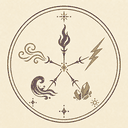
Primary sigils choose the element produced by the spell.
Signs modify manifestation, direction, spread, gravity, and focus.
How to use the spell simulator
Make a large, mostly round boundary and leave a visible gap. The open ring keeps the diagram in a prepared state while you work.
Place a fire, water, wind, earth, or light sigil near the center. Clean strokes give the template matcher a stronger result.
Column, levitation, and convergence signs change the manifestation, direction, focus, spread, range, and gravity of the effect.
Draw across the final gap. A valid diagram becomes active and the effect canvas uses the compiled spell values to animate it.
What the tool understands
The Witch Hat Atelier spell simulator treats a drawing like a small visual program. The enclosing ring defines the working surface. A primary sigil chooses the element, while surrounding signs modify how that element behaves. The browser converts your strokes into a structured glyph tree and then compiles that tree into values used by the animation engine.
Use this Witch Hat Atelier spell maker when you want to draw a custom circle and see a browser-based interpretation immediately. The tool keeps the drawing session local, so you can test a spell layout without an account or a remote generation queue.
This is an interpretive fan tool, not a canonical rules reference. Its dictionary currently supports five elemental sigils and three modifier signs. It works best with one ring, one primary sigil, deliberate strokes, and a clear gap that is closed only after the interior is complete.
See how recognition works| Component | Supported behavior |
|---|---|
| Primary sigils | Fire, water, wind, earth, and light |
| Signs | Column, levitation, and convergence |
| Ring state | Open means prepared; sealed means active |
| Output | Element effect, force, quality, stability, direction, and duration |
| Privacy | Local browser processing; no drawing upload required |
Examples and error states
A fire sigil combined with column signs creates a focused directional manifestation. Load the prepared preset, inspect the result, and choose Seal Ring to awaken it.
A water sigil surrounded by levitation signs reduces gravity and holds the effect in suspension. It is a useful reference for balanced sign placement.
The result panel distinguishes a missing ring, an open prepared ring, a missing primary sigil, ambiguous recognition, multiple sigils, and unsupported rings. Redraw only the affected part instead of clearing everything.
Read the drawing guideFrequently asked questions
No. This is an unofficial fan-made programming and drawing experiment. It is not affiliated with or endorsed by the manga creators, publishers, licensors, or anime production partners.
This version uses local geometric template matching rather than a remote generative AI service. It normalizes stroke groups, compares them with dictionary templates, and applies confidence thresholds.
A prepared spell normally has an open outer ring. Finish the interior first, then draw a short final stroke across the gap. The ring must also contain one recognized primary sigil.
The current fan dictionary recognizes fire, water, wind, earth, and light as primary elements, plus column, levitation, and convergence modifier signs.
It is the interactive part of this unofficial fan project: draw a ring, place a primary sigil and optional signs, then close the ring to preview an interpreted spell effect. It does not claim to reproduce official canon.
Load Fire Shoot or Water Orb for a known layout, or draw an open ring first. Add one central sigil, keep modifier signs separated, and seal the ring only after the interior is ready.
Yes. Pointer Events support touch input, though a larger screen or stylus makes detailed sigils easier. On small screens, the controls and result panel stack around the canvas.
No upload is required for ordinary use. Strokes, recognition, compilation, and rendering remain in the current browser session. Downloading a PNG saves a local image through your browser.
Accuracy and limitations
The simulator does not judge whether a drawing looks beautiful or whether it would be valid under official story rules. It asks a narrower technical question: can the browser separate the strokes into a plausible ring and symbol candidates, and do those candidates resemble templates in the local fan dictionary?
Recognition is most reliable when symbols are separated, the outer ring is large, and the primary sigil sits away from the boundary. A rough drawing can still work because the matcher normalizes position and size and tolerates limited overdraw. However, a mark may fail when unrelated strokes are grouped together, two templates receive nearly equal confidence, or one continuous stroke combines symbols that should have been separate.
The tool deliberately reports these cases instead of silently choosing a random effect. Use the eraser to remove the affected stroke, consult the sigil reference, and redraw only that candidate. Multiple rings and multiple primary sigils are currently unsupported.
Input: pointer strokes made with a mouse, touchscreen, or pen. Each retained point includes canvas position, pressure when available, and capture time. Very short marks and excessively dense nearby samples are filtered before parsing.
Intermediate result: a structured glyph tree containing the detected ring, primary sigil, signs, unknown marks, neatness, instability, and warnings. Advanced Diagnostics exposes this structure for users interested in the implementation.
Output: an animated interpretation plus visible element, manifestation, quality, stability, and force values. PNG download combines the paper and effect canvases at their internal resolution. It saves an image, not an editable project file.
Boundary case: an open but otherwise valid ring is a successful prepared state, not an error. A closed ring with an invalid interior remains invalid and shows guidance instead of inventing a spell.
Browser compatibility and practical use
The Witch Hat Atelier spell simulator is designed for a modern desktop or mobile browser with JavaScript and HTML5 Canvas enabled. There is no sign-in step, upload form, credit system, or remote generation queue. Open the page, load a prepared example or draw a ring, and read the result immediately. A larger screen makes detailed symbols easier, while touch and pen input let tablet users draw directly.
For a first session, use the Witch Hat Atelier spell simulator with Fire Shoot. The prepared example demonstrates the expected scale and placement without skipping the recognition pipeline. Select Seal Ring to confirm the detected boundary, watch the Fire and Column result become active, then use Undo to compare the prepared and active states. Water Orb provides a second test for balanced Levitation signs and low-gravity behavior.
The Witch Hat Atelier spell simulator also works as a troubleshooting reference. Its visible state message separates a missing ring from a missing primary sigil, ambiguous recognition, multiple elements, or a ring that is still open. This matters because each condition needs a different repair. Redrawing the entire diagram is rarely necessary when the eraser can remove one problematic stroke.
Results are experimental and fan-made. The simulator does not claim to reproduce every spell, symbol, or rule shown in official Witch Hat Atelier publications. Its purpose is to offer a usable spell-making interaction and a transparent example of how geometric marks can be parsed, compiled, and animated in a browser.
Choose the Witch Hat Atelier spell simulator when you want a direct drawing workspace rather than a static symbol gallery. Use the Witch Hat Atelier spell simulator to compare prepared and active rings, study recognized signs, and export the current visual result without creating an account.