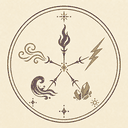
Two working spell circle examples
Examples reduce the hardest part of using a freehand simulator: knowing what a complete, recognized diagram looks like. Each preset contains normalized strokes for the ring, primary sigil, and signs. Loading a preset writes those strokes directly into the same store used by freehand input, so the parser and compiler evaluate it normally.
Fire Shoot
This diagram combines the Fire primary sigil with Column signs. The signs concentrate the manifestation into a directional form rather than a broad aura. The exact force, focus, spread, and duration still reflect the compiled geometry and neatness values.
Load Fire ShootWater Orb
This example places the Water sigil inside a ring with balanced Levitation signs. Their combined influence reduces gravity and produces a suspended water manifestation without a strong sideways bias.
Load Water OrbHow to study an example
- Load the preset and inspect the active result, including element, manifestation, quality, stability, and force.
- Select Undo once or erase the short sealing stroke so the ring returns to a prepared state.
- Compare the primary sigil position with the center guide and the signs with the outer guide.
- Close the gap again and watch the diagram reactivate.
- Modify one area at a time so you can see how signs and drawing quality affect the output.
Useful variations to try
Change the sign balance
Remove a sign from the Water Orb or place a new sign on one side. A balanced layout can cancel horizontal direction, while an uneven arrangement creates a stronger directional bias.
Change the primary element
Keep the same modifier arrangement but redraw the center with another supported elemental sigil. This demonstrates that the element renderer and the modifier behavior are compiled separately.
Change the ring finish
Leave the ring open while editing. The tool should report a prepared spell. Seal it only when the interior is ready. If the closure stroke is too far from the fitted circle, the topological closure check may not treat it as a valid seal.
Example limitations
The presets are fan-made test fixtures, not canonical diagrams or official artwork. They are designed to exercise the current recognizer. The tool supports one enclosing ring and one primary sigil; nested or multiple independent rings are deliberately reported as unsupported. Examples also cannot prove that every visually similar freehand version will recognize, because grouping and confidence depend on the actual strokes.
Fire Shoot walkthrough
After loading Fire Shoot, begin with the result panel rather than the picture. Confirm that Fire is the selected element and that Column appears as the manifestation. Quality and stability describe the recognized geometry, while force includes contributions from the primary semantic values, recognized signs, and overall quality.
Undo the latest stroke. The visual difference may be only a short gap in the boundary, but the semantic change is large: active becomes prepared, particle emission stops, and the ring displays a waiting glow. Closing the same gap creates a new activation timestamp and restarts the effect. This is the simplest demonstration of the simulator’s prepared-to-active lifecycle.
Next, erase one Column sign. The spell may remain valid because signs are optional, but manifestation strength and direction can change. Redrawing that sign with another orientation shows why sign position and facing matter independently of the elemental choice.
Water Orb walkthrough
Water Orb is useful for understanding balanced modifiers. Its levitation signs contribute to a low-gravity manifestation. When their directional influence is arranged symmetrically, horizontal components cancel and the compiled direction remains close to the paper normal.
Erase one levitation sign and compare gravity, direction coherence, and stability. Then restore the preset and redraw only the Water sigil. If the replacement is recognized cleanly, the surrounding structure remains useful; if it becomes ambiguous, the result panel isolates the center problem.
These experiments are more informative than repeatedly clearing the whole canvas. Change one variable, observe the compiler output, and restore the preset when comparisons become unclear.
Create your own study sequence
A good third exercise is to load either preset, remove its interior while keeping the ring, and add a different supported sigil. After that, introduce a single modifier sign and rotate it across several attempts. Record which changes affect the element, manifestation, force, direction, duration, or stability. The downloaded PNG preserves the visible diagram and animation frame, while Advanced Diagnostics provides the structured values for a more technical comparison.
How Witch Hat Atelier spell examples help beginners
Witch Hat Atelier spell examples answer a practical question that labels alone cannot: how large should the ring be compared with the symbols inside it? The prepared presets show one workable proportion, a deliberate boundary gap, and enough spacing for the parser to group marks. They are starting points rather than perfect drawings to copy exactly.
Use the Witch Hat Atelier spell examples as controlled experiments. Load Fire Shoot, record the element and manifestation, then alter one Column sign. Restore the preset before changing another variable. Repeat the process with Water Orb and one Levitation sign. Comparing one change at a time makes the output easier to understand than rebuilding several parts simultaneously.
The two Witch Hat Atelier spell examples also demonstrate that primary element and modifier behavior remain separate. Fire or Water selects the element renderer. Column or Levitation influences manifestation, gravity, direction, focus, spread, and related values. The enclosing ring controls prepared versus active state without replacing either decision.
After studying both Witch Hat Atelier spell examples, create a third variation using another supported primary sigil. Keep the outer structure simple, add only one modifier type, and confirm the prepared state before sealing. A successful variation should remain understandable in the result panel even when its animation differs from the presets.
Return to the Witch Hat Atelier spell examples whenever a freehand result becomes difficult to diagnose. The Witch Hat Atelier spell examples provide a known prepared baseline for checking ring detection, symbol grouping, and final activation.
Related questions
Is this information official Witch Hat Atelier canon?
No. These pages describe the behavior and dictionary of an unofficial fan-made browser simulator. They may use familiar names as context, but the implemented symbols, thresholds, semantic values, and animated effects are partial references and software interpretations. Consult official publications for canonical story material.
Can I load these references directly into the simulator?
The Spell Examples page links to two prepared presets that load into the homepage tool. The Sigils page is a drawing reference; individual elemental cards currently open the simulator but do not stamp a symbol automatically. This preserves the freehand recognition task while examples provide a reliable starting point.
Why does a clear-looking symbol sometimes fail?
People evaluate the overall appearance, while the parser evaluates captured strokes, grouping, normalized geometry, permitted layer, orientation, unexplained ink, and confidence relative to competing templates. Erase crossing marks, separate symbols into distinct strokes, and compare the candidate with the reference at a larger scale.
Does the tool save editable spell projects?
Not currently. The active drawing is held in browser memory. PNG export captures the visible paper and effect, but it does not preserve editable strokes or compiler data. Refreshing the page starts a new session, so download any result you want to keep.